Managing healthcare pressures with Ardens Manager
OPEL Pressure Monitoring
Understanding and managing pressures across the healthcare system is a key challenge for ICBs, PCNs and GP Practices.
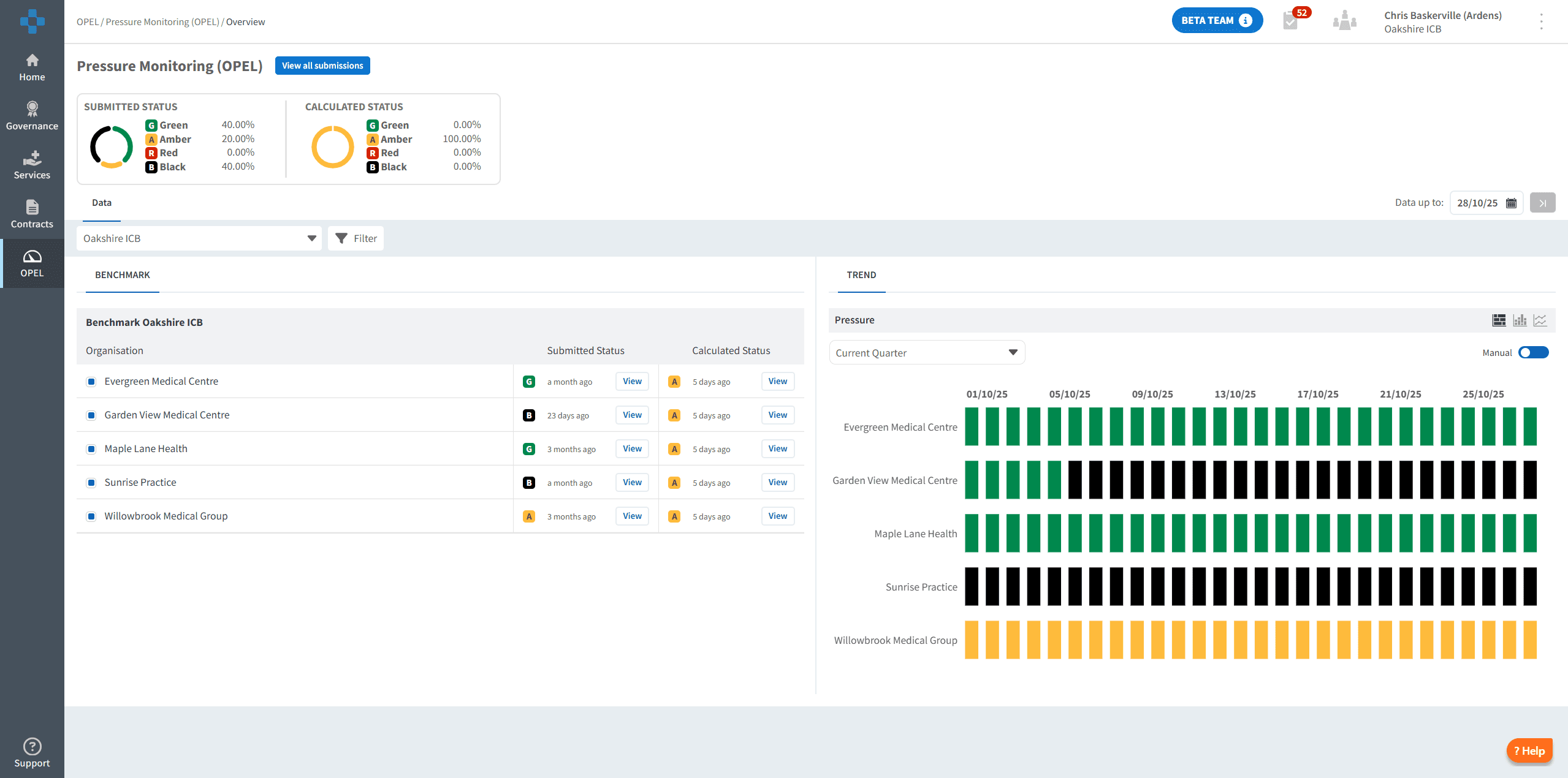
Ardens Manager now features OPEL Pressure Monitoring, providing a real-time visual dashboard to track, manage, and report on pressures in primary care settings. This enables teams to identify and address issues early, escalate appropriately, and ultimately protect patient safety & staff wellbeing.
THE SOLUTION
Ardens Manager OPEL Dashboard
Monitor
Use the OPEL Pressure Monitoring dashboard to track data on appointment demand, workload and capacity.
Assess
Evaluate pressure levels with manual assessment form submissions, including regular email reminders. Alongside manual submissions, Ardens Manager generates a weekly calculated OPEL score using key metrics like appointment demand, utilisation, and DNA rates to complement the manual submissions.
Escalate
Escalate issues to your ICB, with email notifications via manual or calculated pressure assessments. Review manual submissions against calculated pressure.
Coordinate
Communicate easily between practices and the ICB during periods of increased pressure, reviewing previous submissions and agreeing actions.
Review
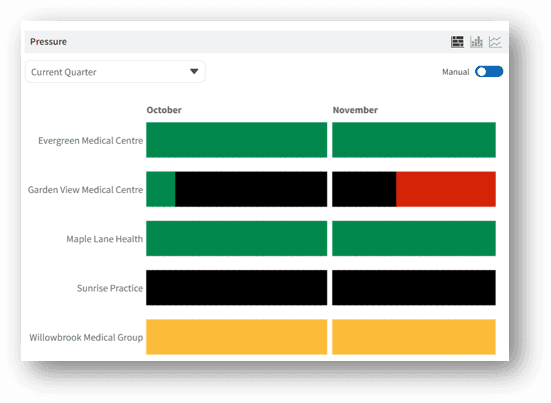
Teams can review pressure trends at ICB and practice levels, and use this insight to predict and prevent future issues.
THE BENEFITS
Managing operational pressure with Ardens
✓ Real-time submissions - Practices submit their OPEL pressure status within Ardens Manager and receive regular reminders to update their status, ensuring insight reflects current pressures in the system.
✓ Comprehensive data - ICBs gain visibility into pressures across the primary care system as a whole and at individual practice level. As well as pressure status, ICBs can review trends over time, track total contacts for the previous day and monitor workforce absences.
✓ Alerts & oversight - ICBs are notified when a practice reaches Level 2 or higher, and can review and comment on submissions from practices.
✓ Additional insights - Practices can add details for pressure causes, such as high demand, staffing shortages, and severe weather.
Get started
Already using Ardens Manager? Find the OPEL Pressure Monitoring dashboard under Contracts.
New to Ardens Manager? Register your interest and our team will arrange a demonstration and free trial.